How To Create Product Categories
Categories are used for many things in the online shops, including creating shipping rules, displaying category tiles, and organizing the shop.
Edit Categories
To edit, add, or delete categories (or subcategories):
Once logged into your webshop, go to Products > Categories:
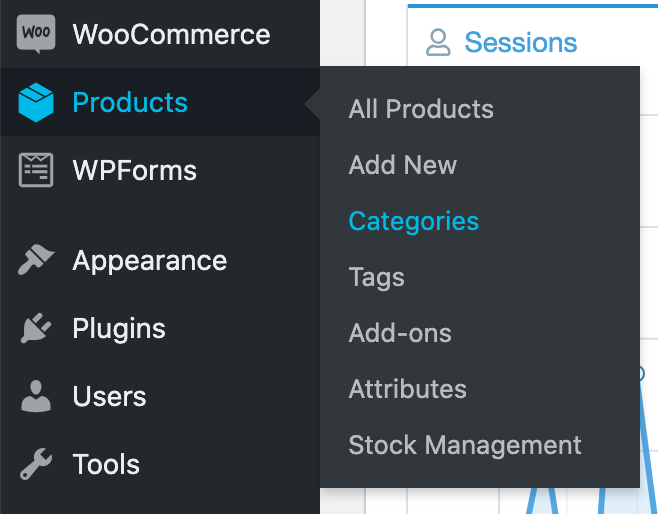
You'll see a list of all the categories that you shop has.
To add a category:
Use the left side where it says "Add new category":
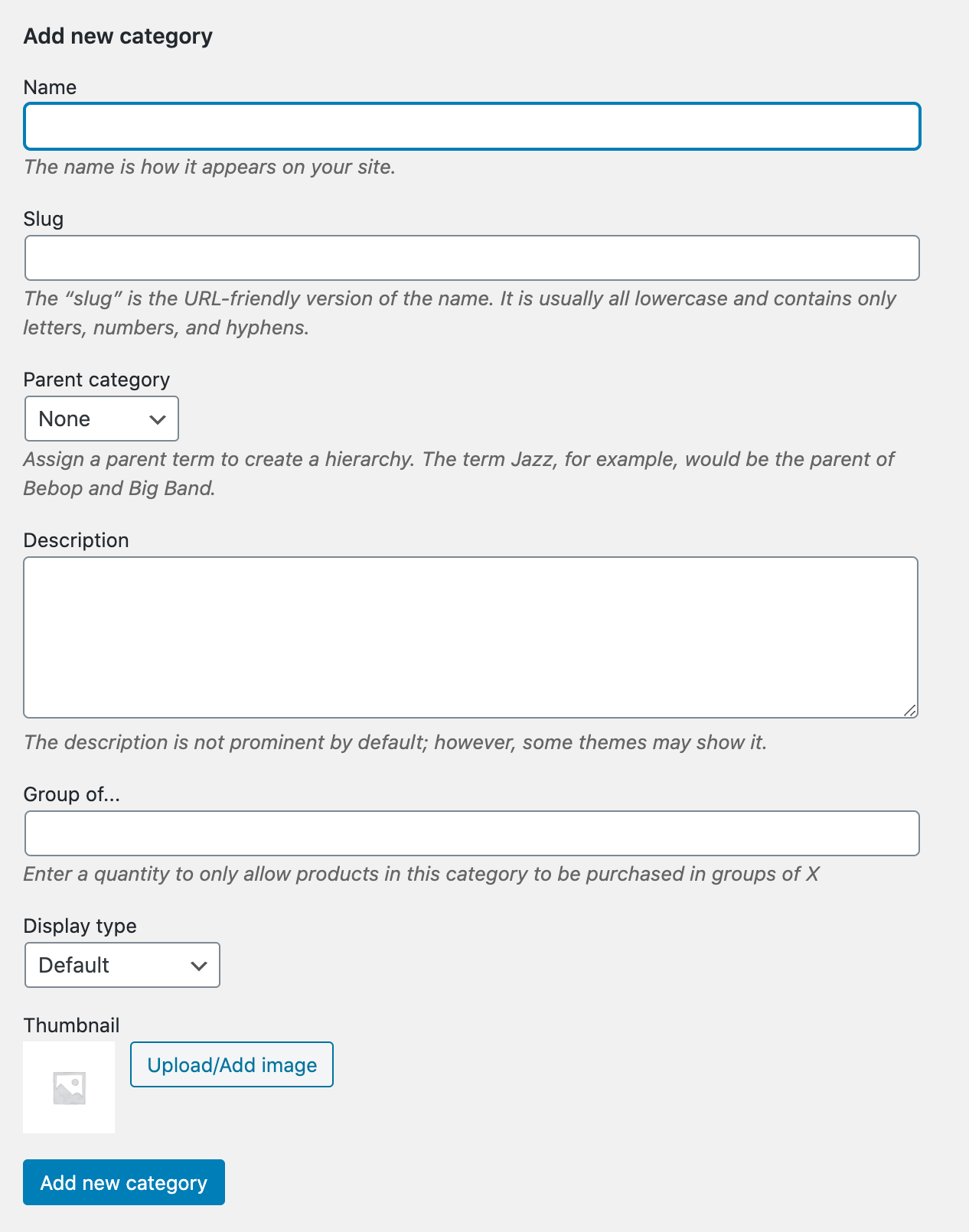
Fill in the fields:
- Name - the name of your category, for example "Beer"
- Slug - you can use the same word as you used for "Name". If there are multiple words, join them with a "-"
- Parent category (Subcategories) - use this if you want this new category to be a subcategory of another category. For example, if you're creating a new category called "Shirt", you might want it to be a subcategory of "Merchandise".
- Description - optional, you can use this if you want a description displayed on the category page
- Group of...- optional, only use if you know what this feature does and your shop is set up for this
- Display type - leave as "default" but you can chose another setting if you want the category page to show subcategory tiles instead of products or a mixture of both
- Thumbnail - select an image that will represent this category. This is also optional but necessary if your shop uses "Shop Tiles" or subcategory tiles.
After filling in the above fields, press "Add new category".
To edit or delete an existing category:
Hover over the category you want to edit and options will display below. Select "Edit" to edit or "Delete" to delete. 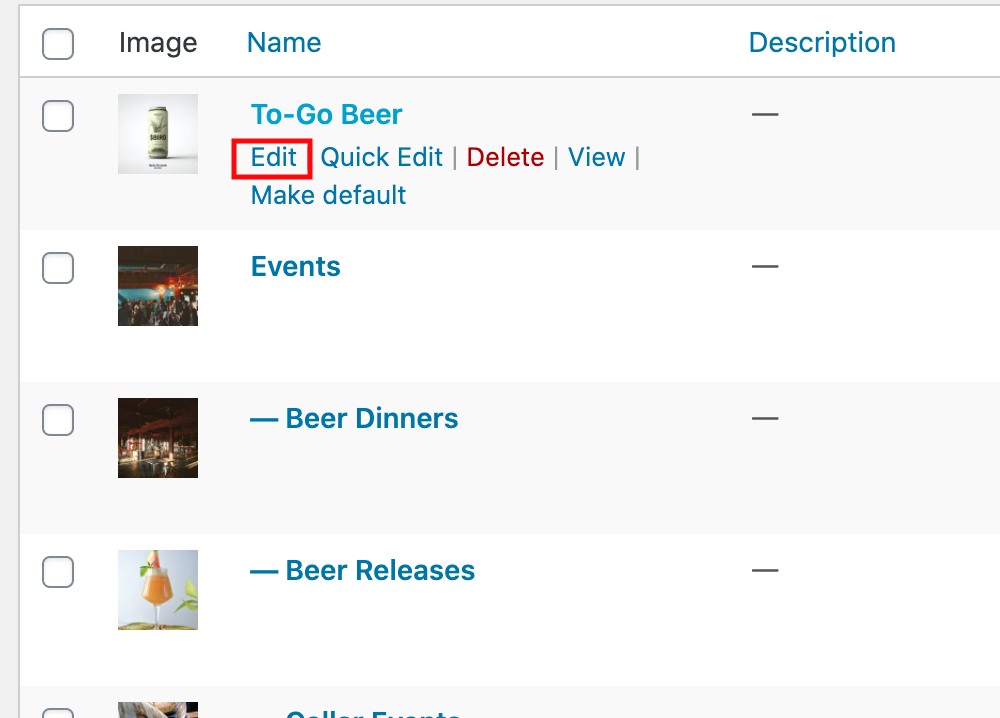
Shop Tiles
Categories are used to create shop tiles in most shops.
For example:

To change a shop tile image, after logging in to the shop, go to Products > Categories > and click "Edit" below the category you want to change:
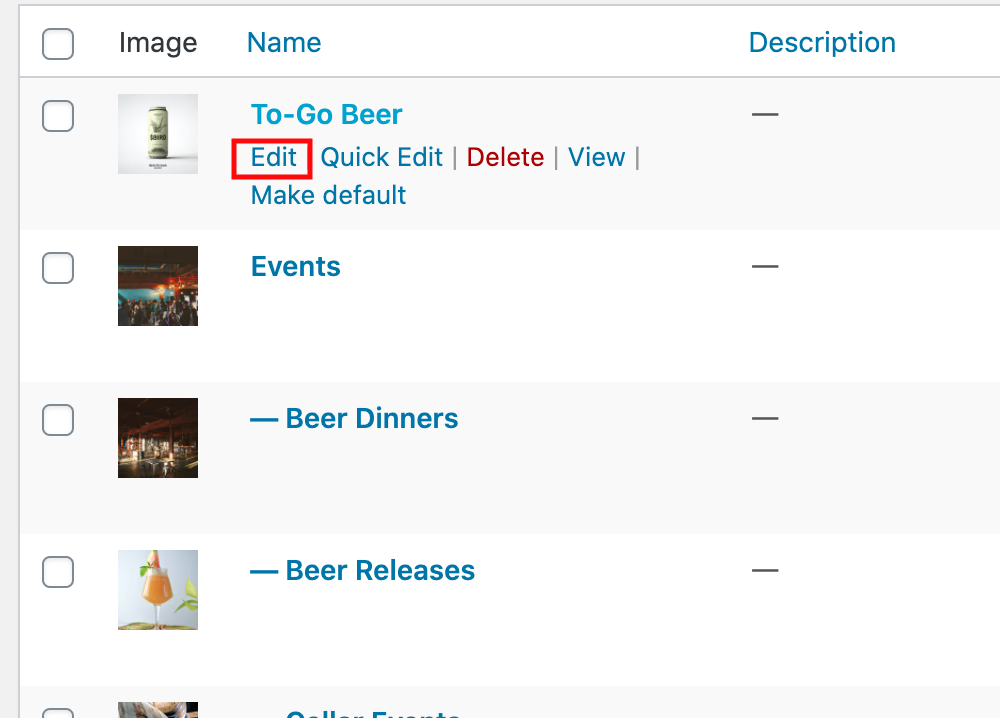
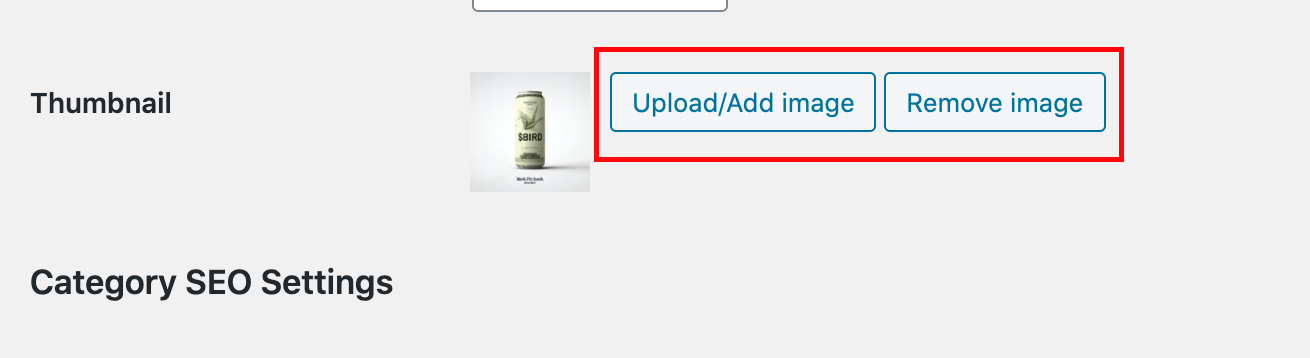
On this new screen, scroll down until you see "Thumbnail". You can use these two buttons to upload/add image or remove image.
After changing the Thumbnail image, press the blue "Update" button at the bottom. The corresponding category shop tile's image has now been updated!