Schedule A Blog Post, Event, Or Page
Scheduling
You can schedule the release of a blog post, event or page. This will keep it unpublished until the selected date. Some good things to know about scheduling:
- One really important thing to note, there is sometimes some lag when a post/page is scheduled to go live. For that reason, we advise you set it to go live about 15 minutes earlier just to be safe. Beyond that, the safest thing is to wait and publish it yourself so you know for sure it went live.
- While you can schedule when these are published, there is no option to schedule when something is unpublished, you will have to do that manually.
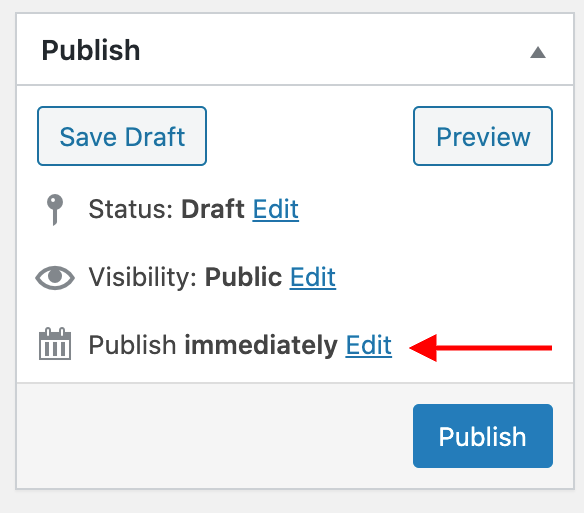
After creating your post or page, go to the top right of the page and click "Edit" next to "Publish immediately":
This will open a date and time picker:
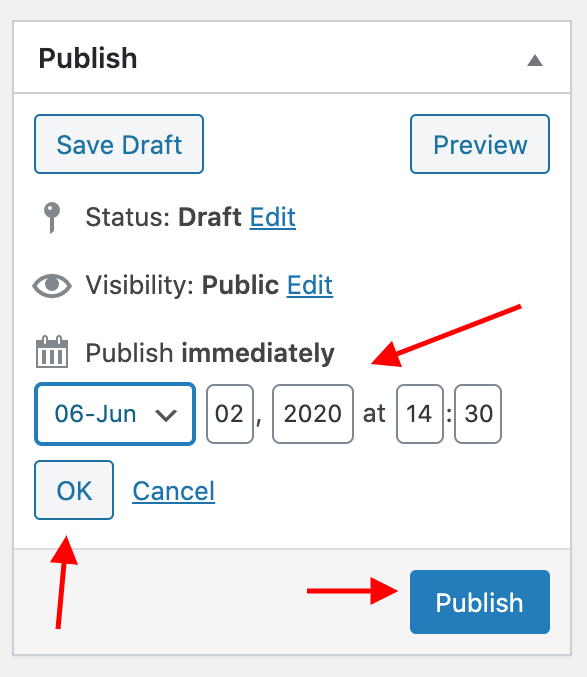
Choose the date and time you want to publish. After selecting, the blue "Publish" button becomes a blue "Schedule" button. Press the "Schedule" button - if it was done correctly, you will see when the post is scheduled for publishing. For example:
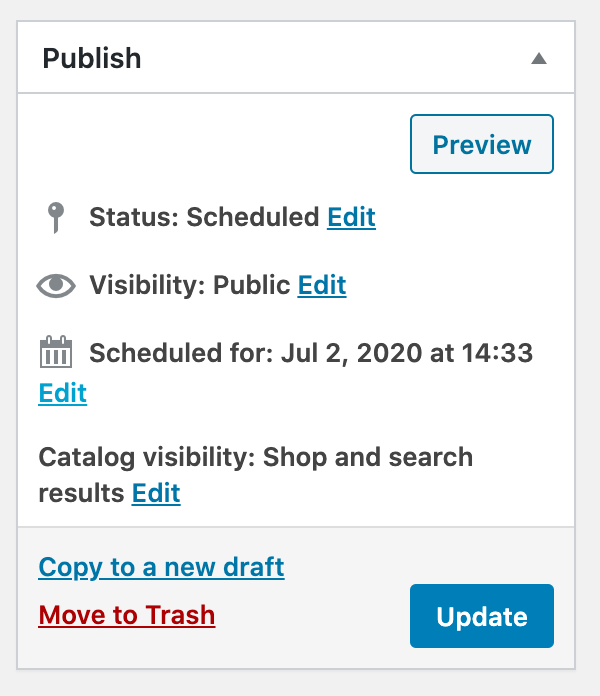
You can publish or edit the scheduled date at any time by pressing "Edit" again and then "Update".